 Leader CRM
Auto dialer and missed-call tracking for broker sales teams
Work the call list with each customer's last message in front of you, and see every missed call that is still waiting for a callback.
Watch it work
A call list with each customer's last message, and every missed call tracked.
Auto dialer and missed calls: what it does
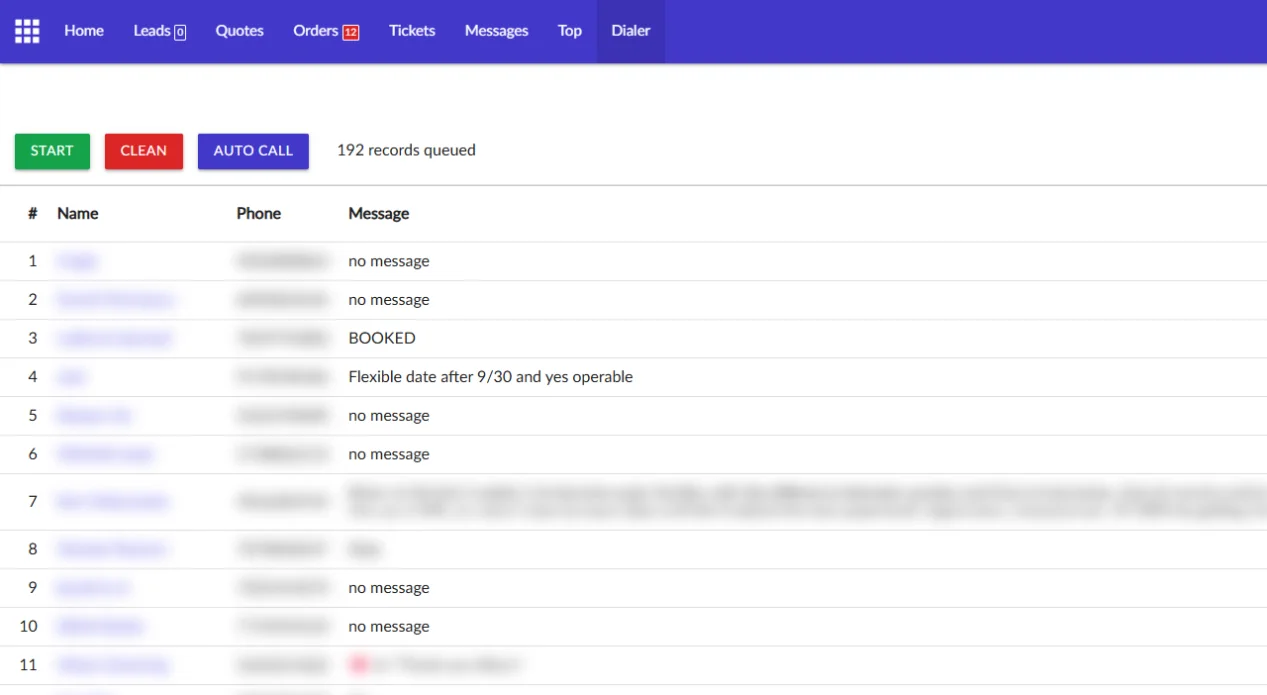
Call queue with context
The dialer lines up the people to call and shows what each one last wrote.
Voicemail drop
Record your voicemail once. Drop it when a call goes to voicemail.
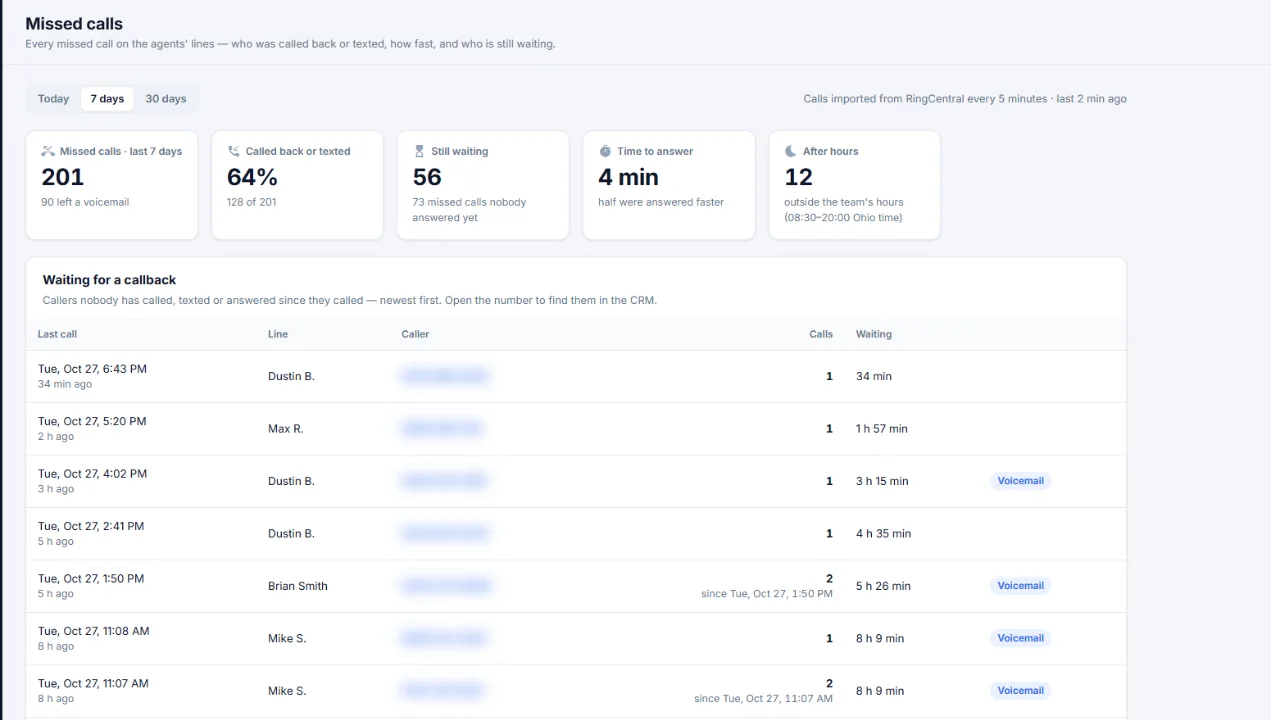
Missed calls board
Missed calls, the share called back or texted, callers still waiting, time to answer and after-hours calls.
Callers waiting
Newest first. Open a number to find that customer in the CRM.
Your phone app
Connect RingCentral or another calling and texting app you already use. Each salesperson then calls or texts a customer with one button in the CRM.
How it works on a sales day
- Queue
Open the dialer. The queue is ready, each person with their last message.
- Call
Press START or AUTO CALL and work down the list.
- Call back
Check the missed calls board for anyone still waiting.
Auto dialer and missed calls: questions
Which phone system does Leader CRM use?
RingCentral, or another calling and texting app you already use. Once it is connected, salespeople call or text with one button in the CRM, and every call and text is saved on the customer.
Can a manager see missed calls nobody returned?
Yes. The missed calls page lists every caller nobody has called, texted or answered since they called, newest first.
See Leader CRM on your own leads
On a live call, Brian walks you through quotes, follow-ups, orders and the owner view, then sets up your free trial.
Or email Brian
hello@kingpinsites.com