 Leader CRM
From signed contract to Central Dispatch without leaving the CRM
Convert the quote, send the contract for e-signature, post the load to Central Dispatch and log every payment on the same order.
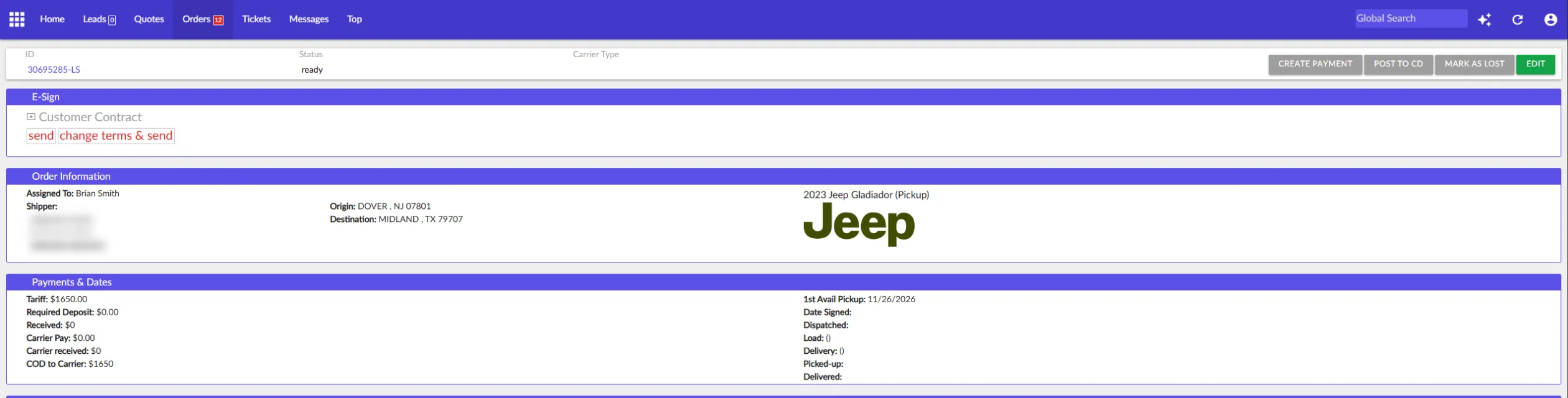
Every order shows where it stands
Each stage has its own tab in the orders list and its own date on the order.
- Not Signed
- Signed
- Posted to CD
- DispatchedNow
- Picked up
- Delivered
Watch it work
Send the contract, post the load, log the deposit.
Orders, e-sign and Central Dispatch: what it does
Every number on one order
Tariff, required deposit, received, carrier pay, carrier received and COD to carrier.
Every date on one order
First available pickup, signed, dispatched, load, delivery, picked up and delivered.
Carrier and driver
The carrier and driver sit on the order with the shipping information for the carrier.
Mark as lost
Lost orders are left out of the dispatched numbers.
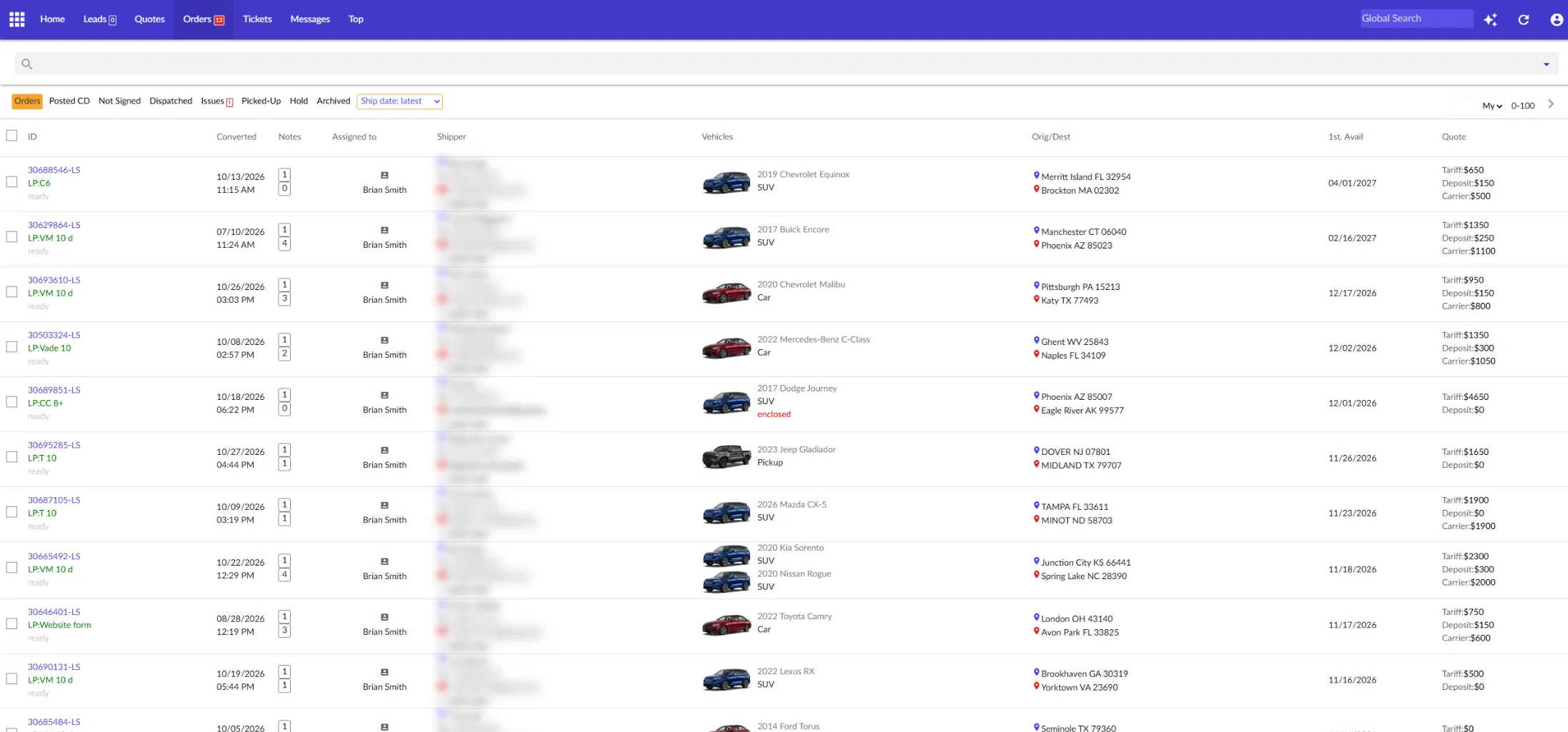
Sign, post and get paid
E-sign contracts
The customer contract goes out from the order. Send it as it is, or change the terms and send. The order records the date it was signed.
Post to Central Dispatch
The Post to CD button sends the load to Central Dispatch from the order. Posted loads move to the Posted CD tab, and the owner dashboard shows whether the Central Dispatch connection is working.
Payments
Create a payment on the order and charge the card. Payments between customer, broker and carrier are logged both ways, with a payment log for every attempt.
How it works on a sales day
- Sign
Send the contract from the order. The customer signs online.
- Post
Press Post to CD. The load is on Central Dispatch and in the Posted CD tab.
- Collect
Charge the deposit and log what the carrier collects on delivery.
Orders, e-sign and Central Dispatch: questions
Can Leader CRM post loads to Central Dispatch?
Yes. Every order has a Post to CD button, and posted orders show in the Posted CD tab.
Can customers sign the contract online?
Yes. Send the customer contract from the order for e-signature. You can also change the terms before you send it.
Can I charge the deposit by card?
Yes. Create a payment on the order and charge the card. Every attempt goes into the payment log.
See Leader CRM on your own leads
On a live call, Brian walks you through quotes, follow-ups, orders and the owner view, then sets up your free trial.
Or email Brian
hello@kingpinsites.com