 Leader CRM
One car shipping quote page: the car, the route and every message
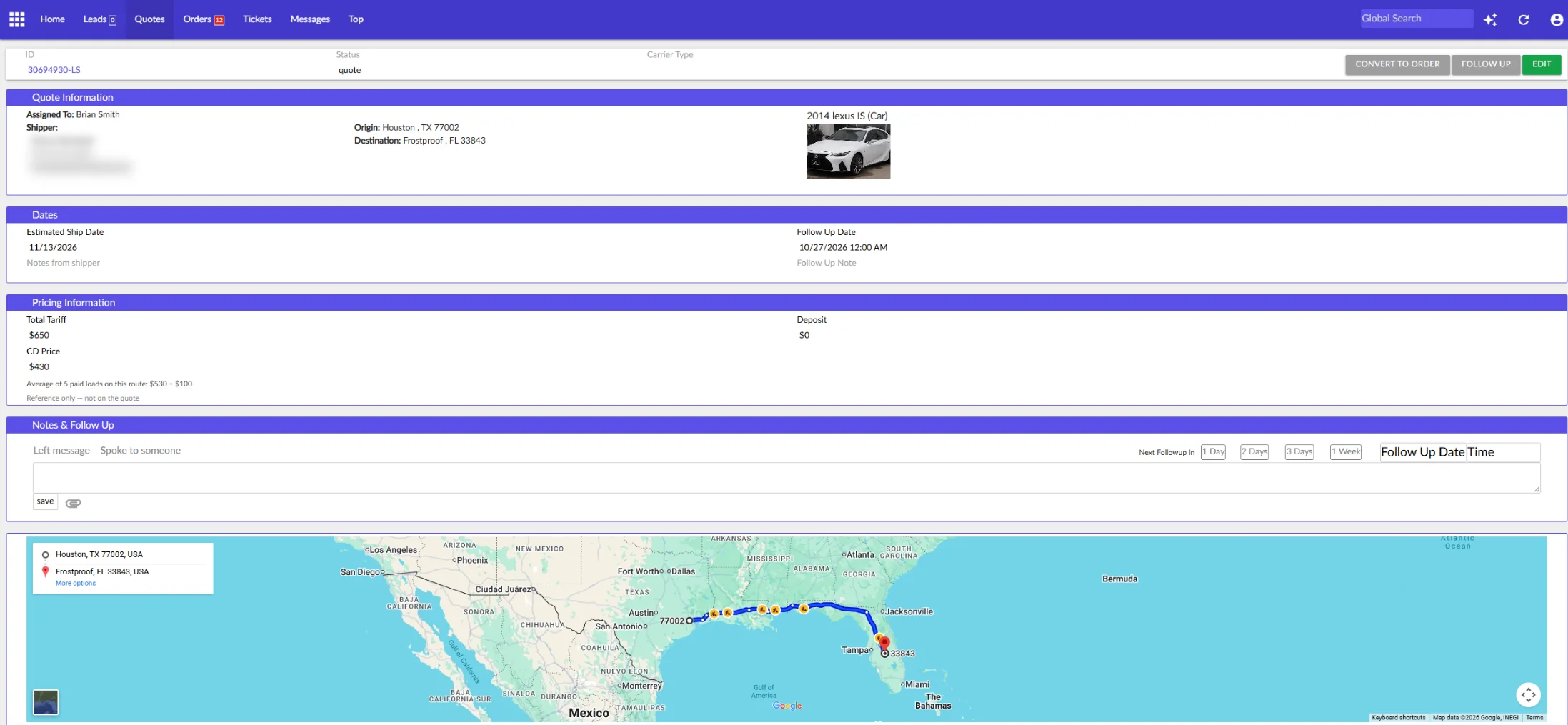
Open a quote and the vehicle, the route on a map, what carriers were paid on that lane and the whole text and email history sit on one screen.
Watch it work
Vehicle, route map, CD price and every message on one screen.
Quote page: what it does
Quotes list
Follow-up Today, Quotes, Hold and Archived. Each row shows the car, the route, the tariff, the deposit and the ship date.
CD price reference
See what carriers were paid on the lane before you set the price. It never shows on the customer's quote.
One timeline
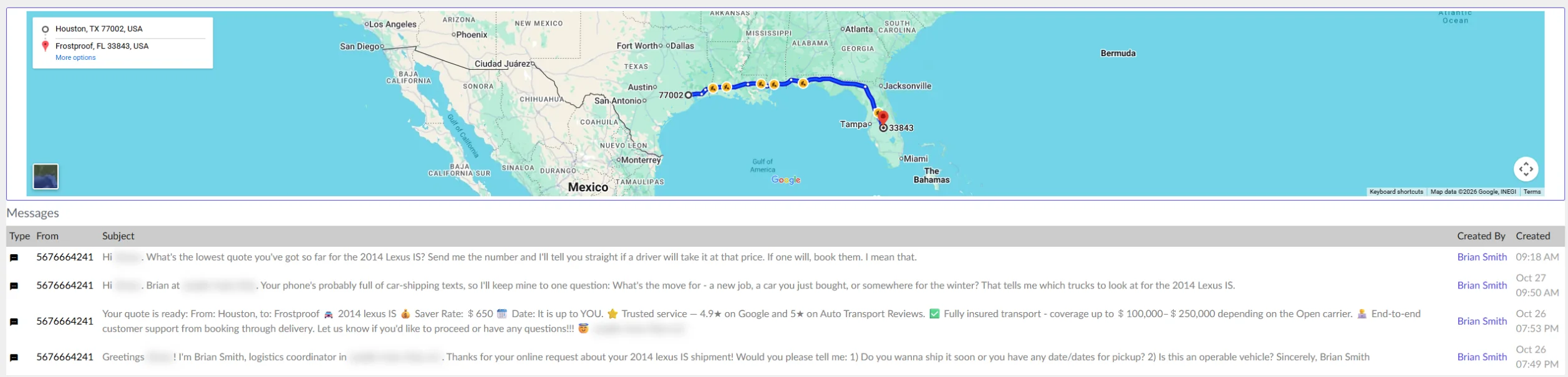
Texts and emails show under the quote with who sent them and when, so nobody calls blind.
Convert to order
When the customer says yes, the quote becomes an order with one button.
More options
Stop auto follow-up, put on hold, re-assign, create a ticket or duplicate the quote.
How it works on a sales day
- Quote
A lead comes in, you set the price and send it. The quote goes out by text and email from your own line and inbox.
- Log the call
After a call, tap "Left message" or "Spoke to someone" and pick when to follow up next.
- Book
The customer says yes. Convert the quote to an order and send the contract.
Quote page: questions
Where does the CD price come from?
Leader CRM looks up Central Dispatch loads on the same lane that were paid and averages them. The quote page shows the result and how many loads it used. It is a reference for the salesperson and never appears on the customer's quote.
Can I send a quote by text from the CRM?
Yes. Sending a quote sends the quote text and the quote email from the salesperson's own line and inbox. A quote text that would land at night waits for the customer's morning.
Can I see what the customer said before I call back?
Yes. Every text and email with that customer sits in one timeline under the quote, with the date and who sent it.
See Leader CRM on your own leads
On a live call, Brian walks you through quotes, follow-ups, orders and the owner view, then sets up your free trial.
Or email Brian
hello@kingpinsites.com